Shell Scripting
What is a shell?
A shell is a computer program that exposes an operating system's services to a human user or other programs.
In general, operating system shells use either a command-line interface (CLI) or a graphical user interface (GUI), depending on a computer's role and particular operation.
It is named a shell because it is the outermost layer around the operating system.
What is shell scripting?
Shell scripting is a programming language used to automate tasks on Unix-like operating systems. It is a powerful tool that can be used to perform a wide variety of tasks, such as:
Automating repetitive tasks
Processing text files
Managing files and directories
Sending emails
Launching applications
And much more
Shell scripts are written in a text file that contains a series of commands. The commands are executed one after the other, and the output of each command is used as input for the next command.
Shell scripts are typically saved with the .sh file extension.
Type of shells.
Here are some of the most common shells:
Bourne shell (sh)
Bourne Again shell (bash)
Korn shell (ksh)
C shell (csh)
Z shell (zsh)
How to check the path and User?
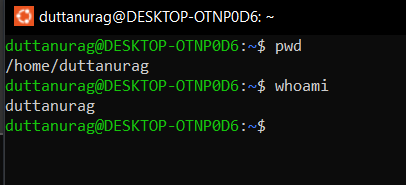
you can use pwd command to check the path and for User you can use whoami command.
How to check your shell?
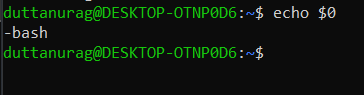
to check the shell you can use echo$0 command.
Create your first script.
First make a folder to store all the scripts.
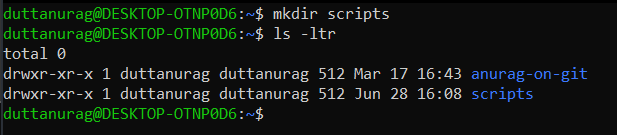
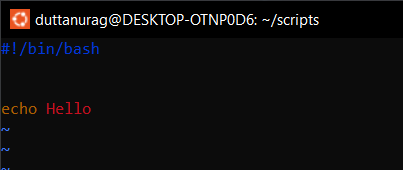
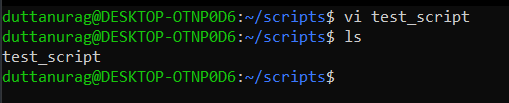
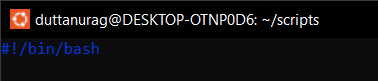
Scripting format and purpose of /bin/bash
The shebang (#!), also known as the hashbang or the Shebang line, is the first line of a shell script. It tells the operating system which shell to use to interpret the commands in the script. The shebang for a Bash script is #!/bin/bash.
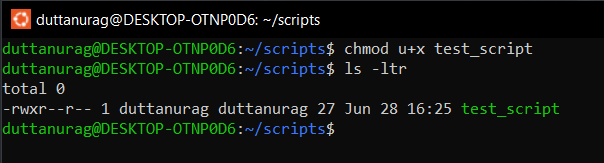
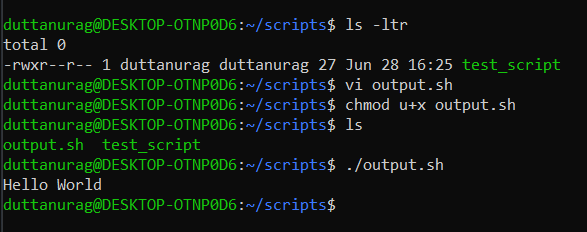
How to give execute permission to your script to run it
How to run your first script
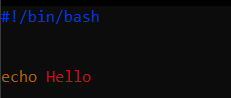
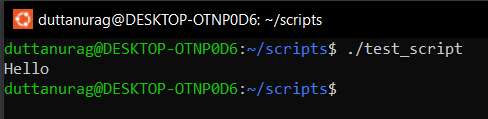
Script to print output on the screen
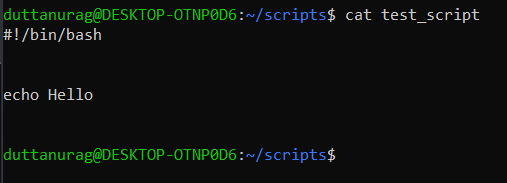
Permission granted for execution of script.

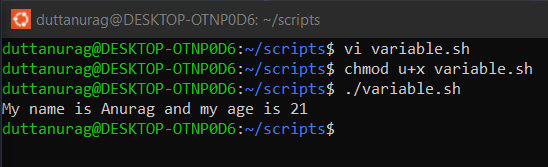
Variables
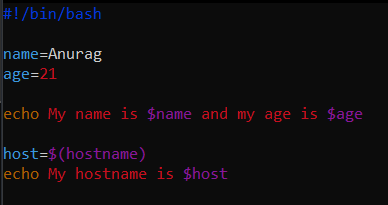
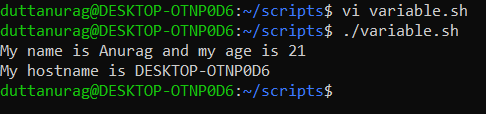
A shell variable is a character string in a shell that stores some value. It could be an integer, filename, string, or some shell command itself. It is a pointer to the actual data stored in memory.
Input from user
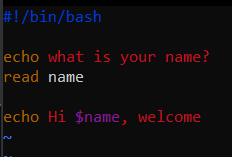
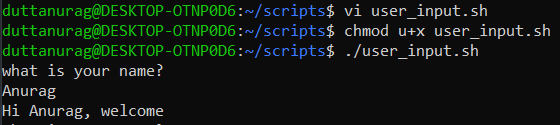
We can simply get user input from the read command in BASH. It provides a lot of options and arguments along with it for more flexible usage.
If-else
The if statement in shell scripting is used to execute a block of code if a certain condition is met.
The else keyword can be used to specify a block of code that will be executed if the condition evaluates to false. The syntax for anif and else statement is as follows:
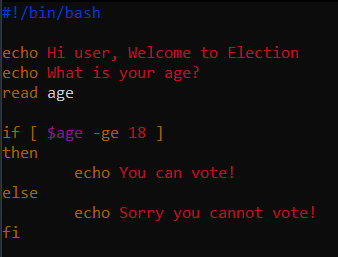
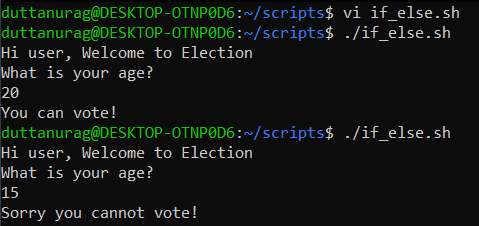
The condition can be any expression that evaluates to a Boolean value, such as a -gt b, -d /tmp/myfile, or $USER == "root". If the condition evaluates to true, the code in the then block will be executed. If the condition evaluates to false, the code in the then block will be skipped.
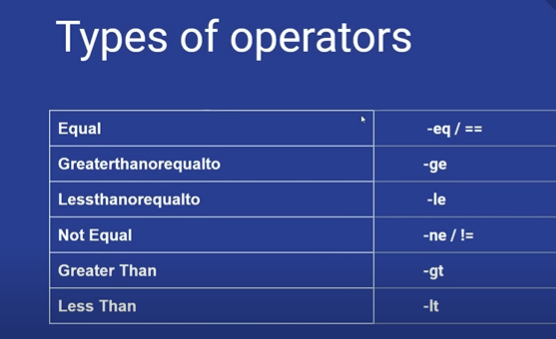
Type of operators
Operators are used to perform operations on data in shell scripts. They can be used to combine values, to compare values, and to test the properties of files.
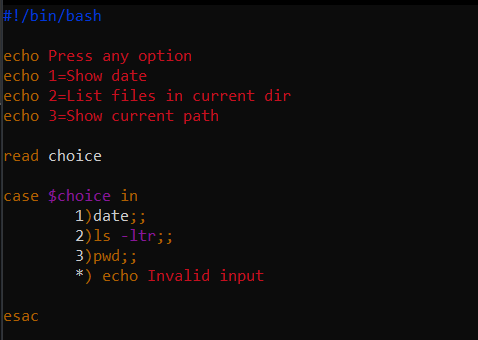
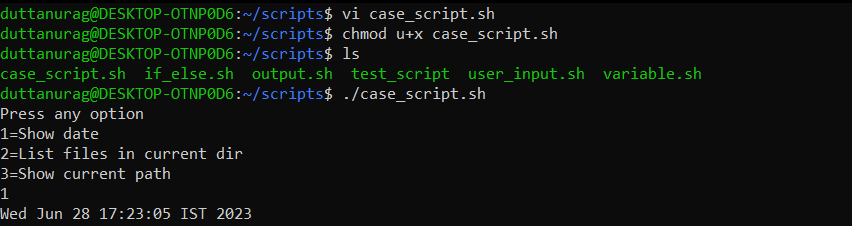
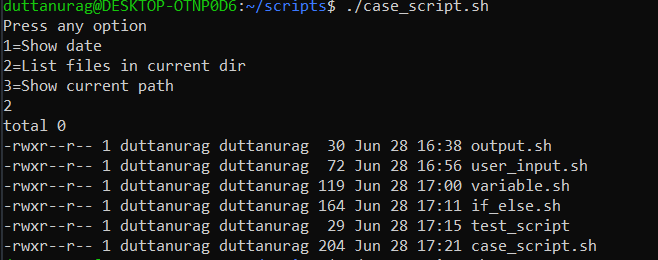
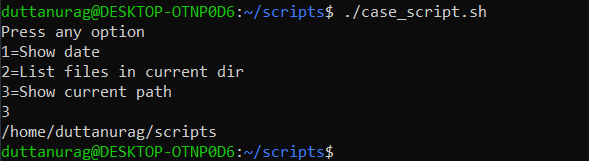
Case Condition
The case statement allows you to easily check pattern (conditions) and then process a command-line if that condition evaluates to true. In other words the $variable-name is compared against the patterns until a match is found. *) acts as default and it is executed if no match is found. The pattern can include wildcards.
For loop
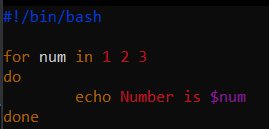
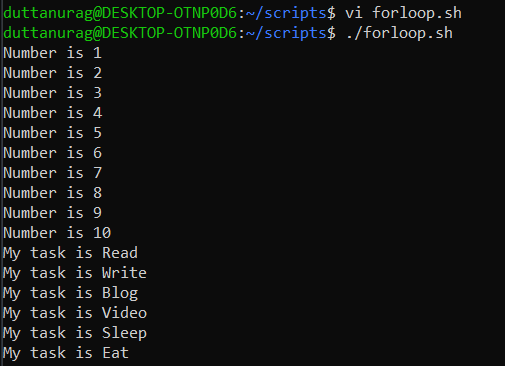
The for loop operates on lists of items. It repeats a set of commands for every item in a list.
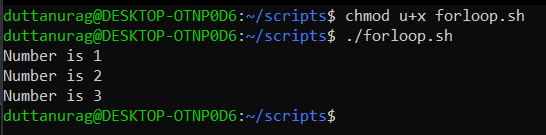
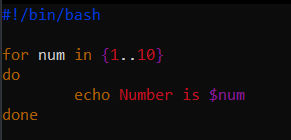
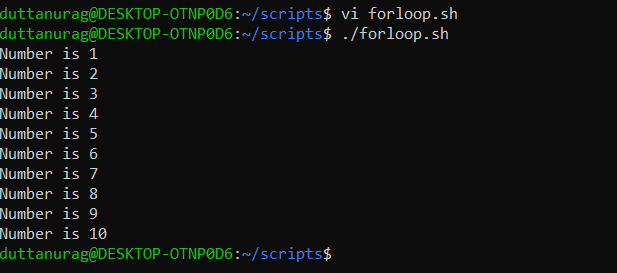
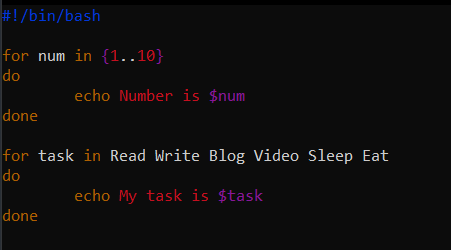
While loop
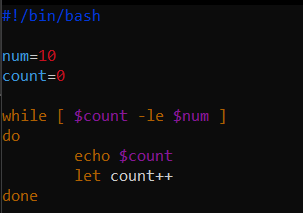
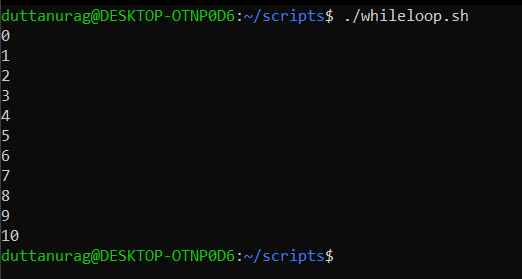
Here the command is evaluated and based on the resulting loop will execute, if the command is raise to false then the loop will be terminated that
Iterate values from a file
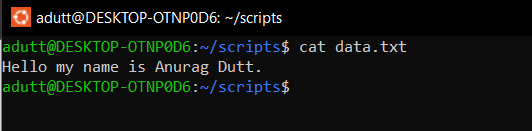
In this case, we store the result of cat command in a temporary variable of for loop and iterate through each line of it. In each iteration, we use echo command to print the line. #!/bin/bash file=data.txt for i in cat $file do echo "$i" done
Expression in script
- **Conditional Expressions with && and ||
Returning 0 is a standard way to indicate success and 1 to indicate failure. Also, several other standard exit codes can be used.
When using a shell, we usually run multiple instructions chained together using tokens like “;”, &, &&, or ||.
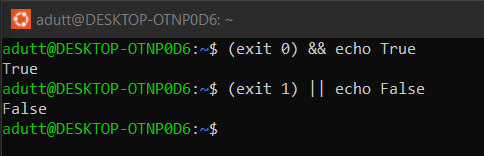
- Using the grep command, let’s see how we can display a text if the string is present in the file:

We can compose commands by chaining them with these tokens. Let’s try using the same file and the same commands:

Let’s see another example using these tokens to chain commands:
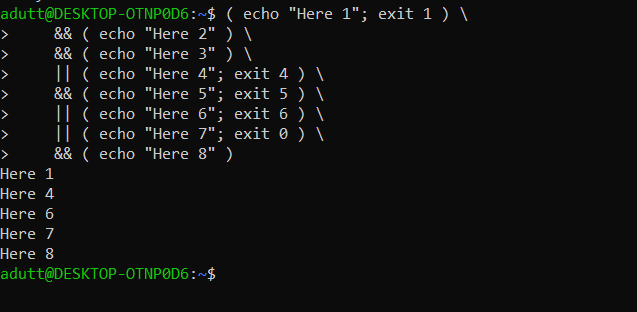
- **Building More Complex Expressions with if -
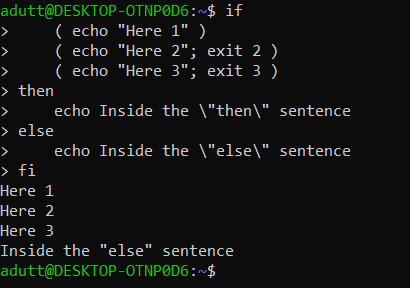
In the previous examples, we saw that we can articulate a list of commands because the commands are conditional expressions. However, this syntax can be tricky for more complex commands.
To keep things clearer and create new ways of articulating instructions flow, shells have the keywords: if, then, elif, else, fi.
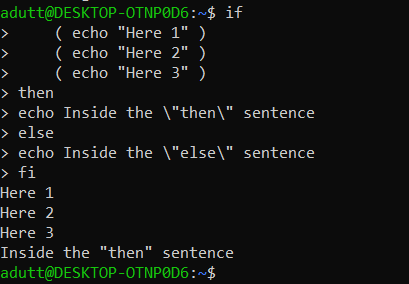
Now, let’s try the following:
- **The [, test, [[, and ((, Tokens
The shells are commonly equipped with the tokens [, test, and [[ builtins that use conditional expressions.
Each of these tokens differs, but we’ll discuss their differences later. Let’s focus on what [, test, and [[ have in common.

Here, we’ve used the -d option, which checks if the file exists and is a directory. We’ve surrounded the expression with the [ and ] tokens.
let’s see another example that checks if 2 Strings are equal:

Let’s use the -lt option to compare if one integer is smaller than the other:

The listed examples can be built with any of the [, [[ or test commands.
About the author
Cloud Engineer with hands-on experience managing end-to-end Azure infrastructure in hybrid environments. I specialize in designing and operating secure, scalable, and cost-optimized cloud solutions across compute, storage, networking, AI, and identity.
I’ve led critical initiatives such as AKS version upgrades in production, built AI pipelines using Azure AI Studio, and enforced enterprise-grade security using Defender for Cloud, RBAC, and Conditional Access. My work spans provisioning and automation of VMs, AKS, AVD, and storage; implementing Synapse pipelines; managing Intune and Zero Trust policies; and optimizing costs through Reserved Instances and Azure Advisor.
With a strong focus on operational excellence, I bring a balance of deep technical execution and strategic alignment to business needs-ensuring performance, compliance, and resilience across the cloud landscape.
Comments
Join the discussionNo comments yet. Be the first to comment.


